Intro
Walking home alone at night can be daunting for anyone, you are surrounded by darkness causing a sense of anxiety and nervousness. This fear is worsened by the fact that a person cannot see what is going on behind them.
In order to solve this anxiety, I wanted to create a jacket that would allow users to be aware of what is going on behind them. So I created a safety alarm jacket that plays an alarming sound and bright red lights when someone gets within 3 ft of the user. The alarm will be set off by a sensor that goes off when a person gets too close. This will allow users to be notified of a potential threat, giving them a couple seconds in order to react and also startle the threat
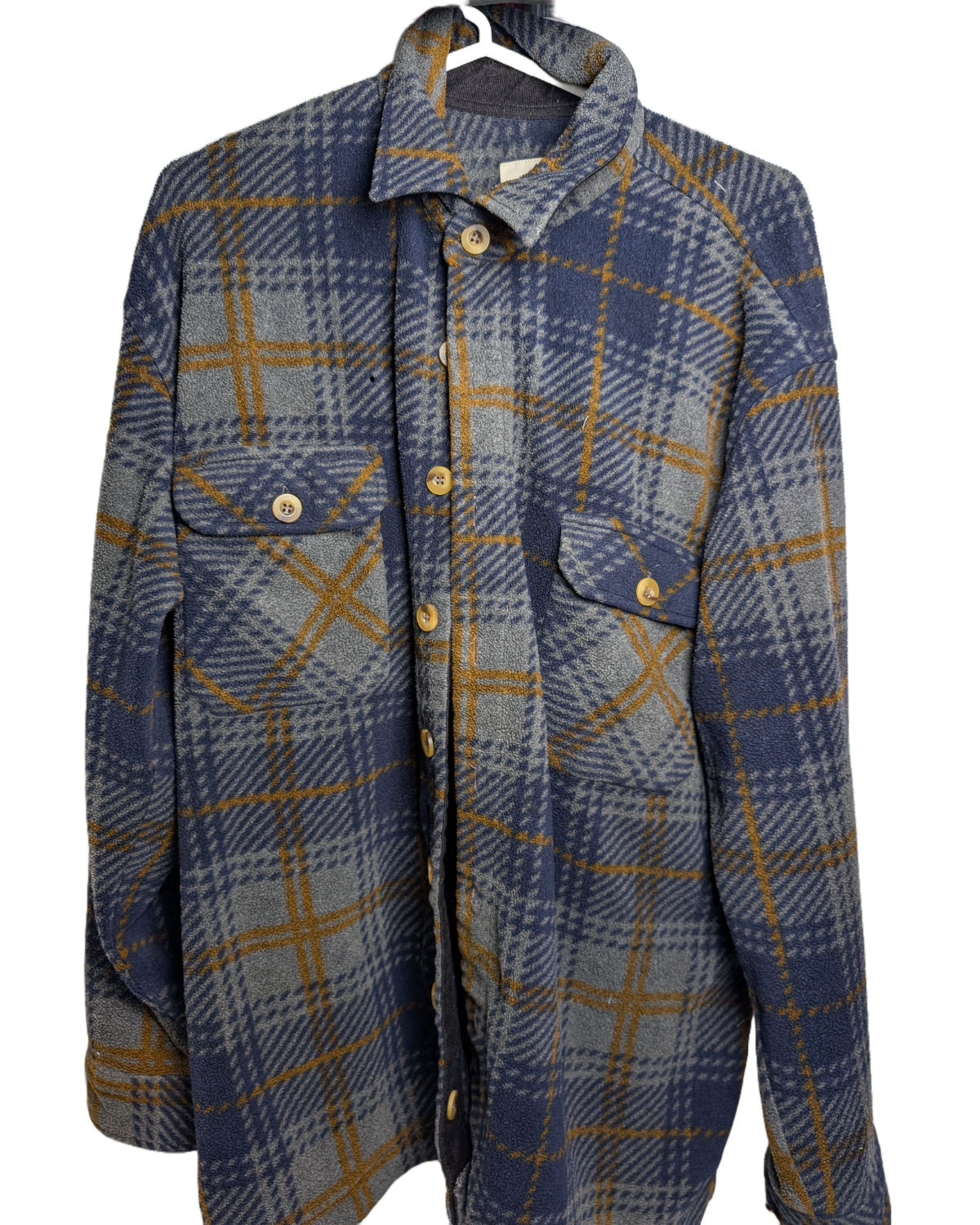
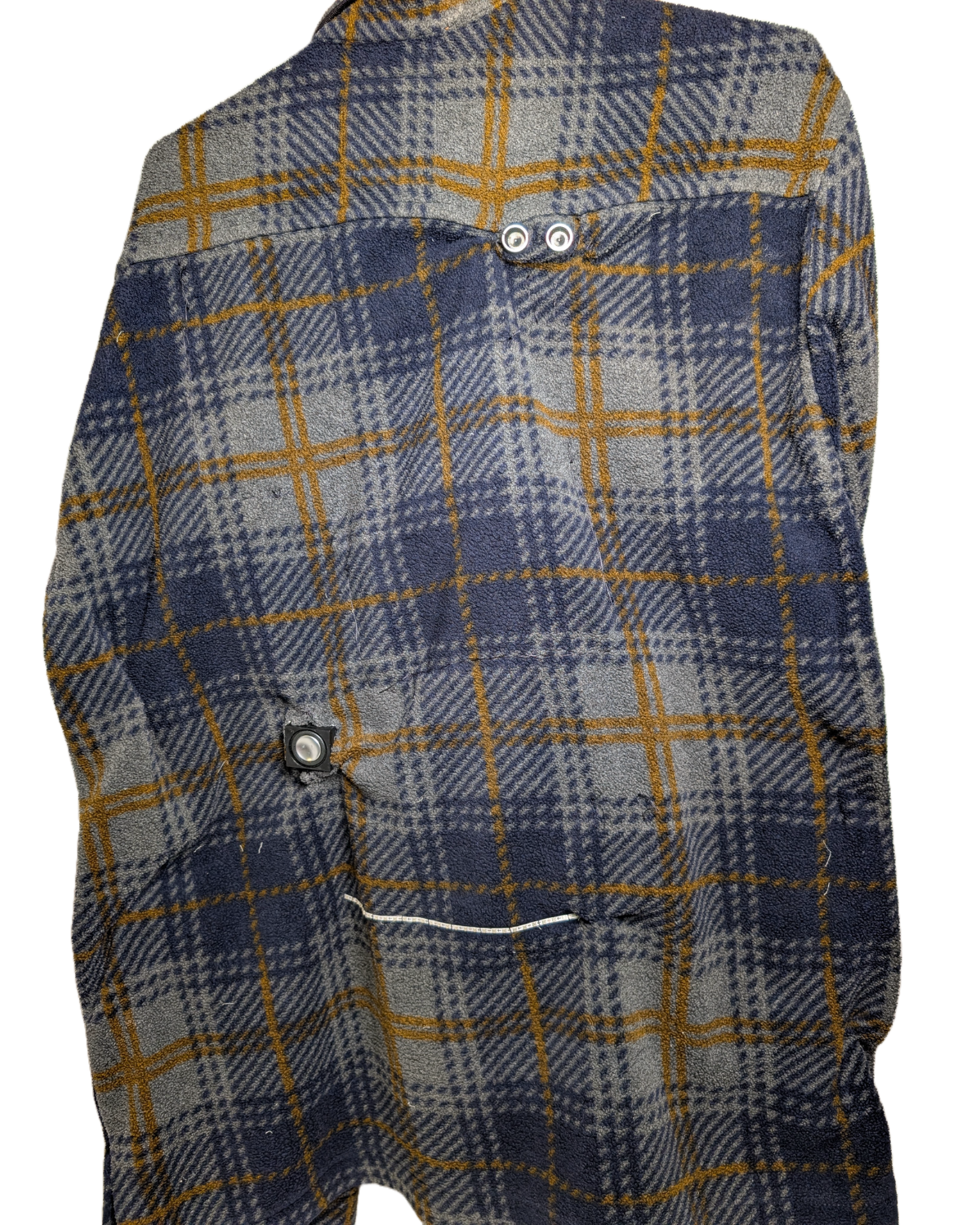
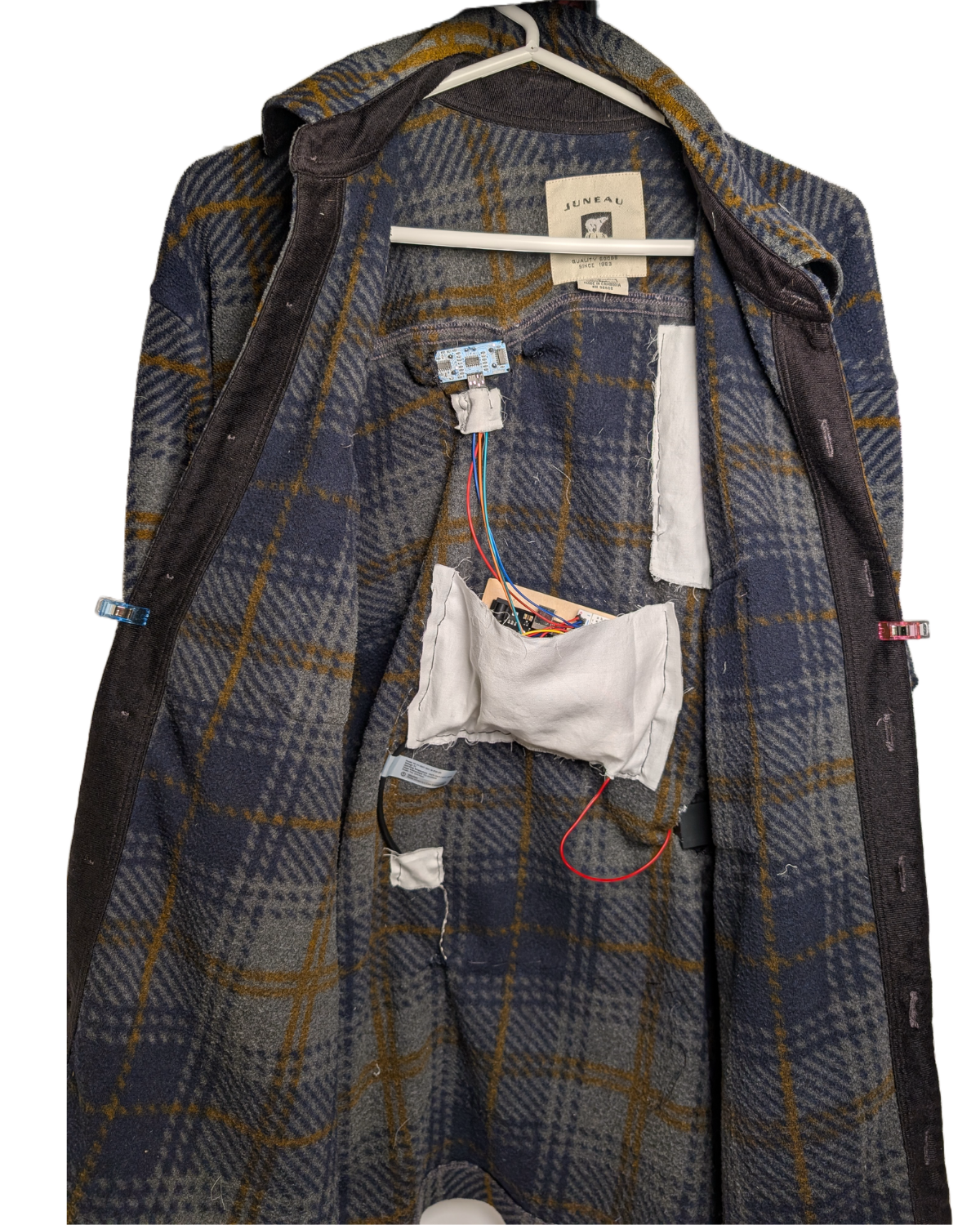
Jacket Alarm in Action
Building Process
Before building this jacket, I decided on a components list that would allow me to build a circuit with several functions. The circuit needed to be able to sense an object within a settable range, allow me to select the audio, and have lights in order to disarm a threat. Below are the components used.
Arduino Uno
DF Mini player
Speaker
Ultra Sonic Distance Sensor
Strip of Neopixels
Phase 1: Testing each component
To begin this project, I individually tested each component so I understand how they work individually before using them in tandem.
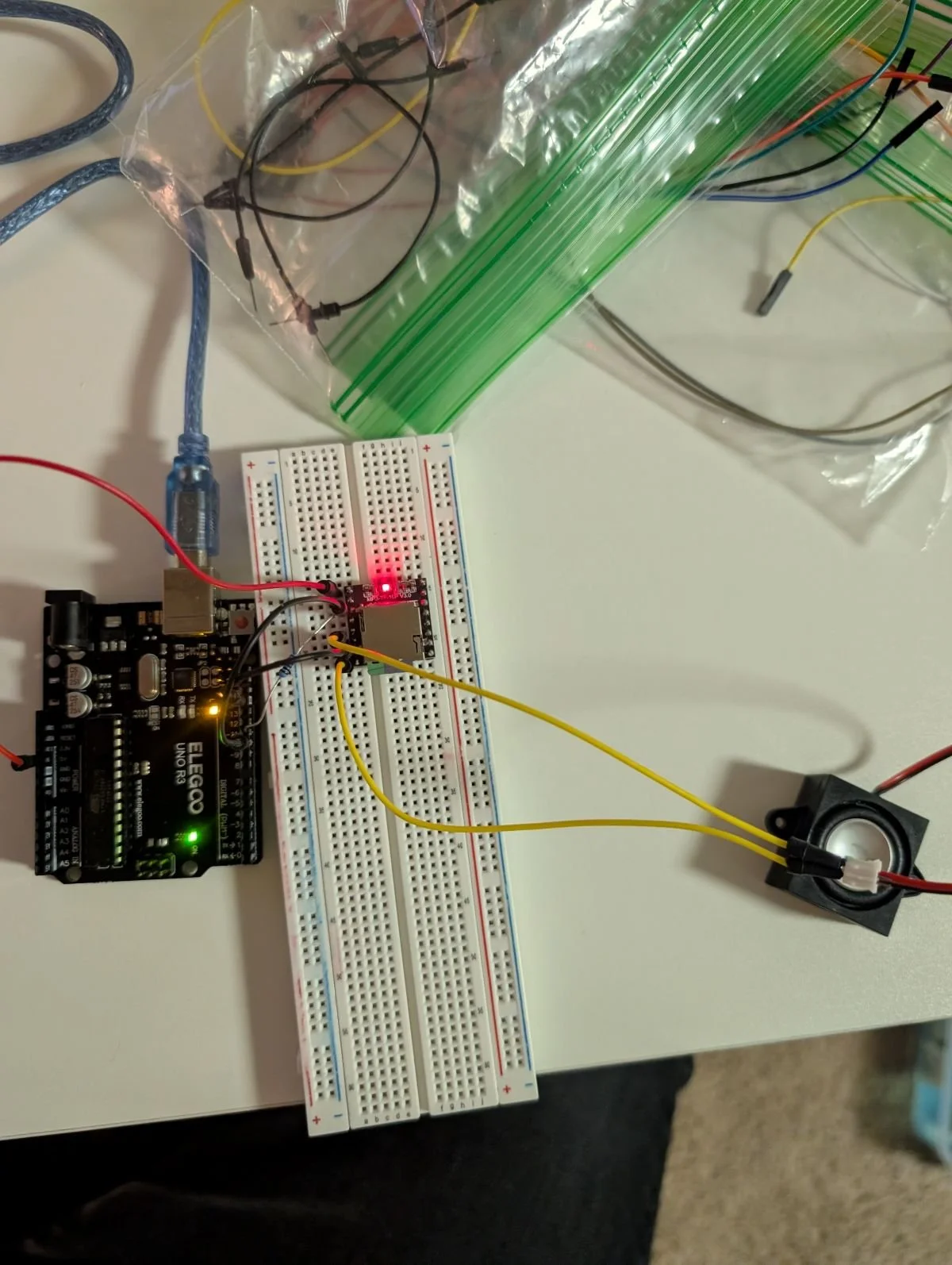
DF Mini Player and Speaker
In order to test the DF Mini Player and speaker, I found that there were various tutorials on youtube which I followed. The DF mini player stored audio files on a Micro SD which was then output by the speaker. For testing, I loaded the player with an enjoyable song as it was constantly being tested, later on I would change the audio to an alarming noise.
Ultrasonic Distance Sensor
Next, I tested the ultrasonic distance sensor by testing various ranges at which it could detect an object. I wanted to understand how sensitive the sensor was and if I needed to account for latency in detection. If there was a large lag then the sensor would need to be set to react at a farther distance to allow time for the alarm and lights to go off.
Neopixels:
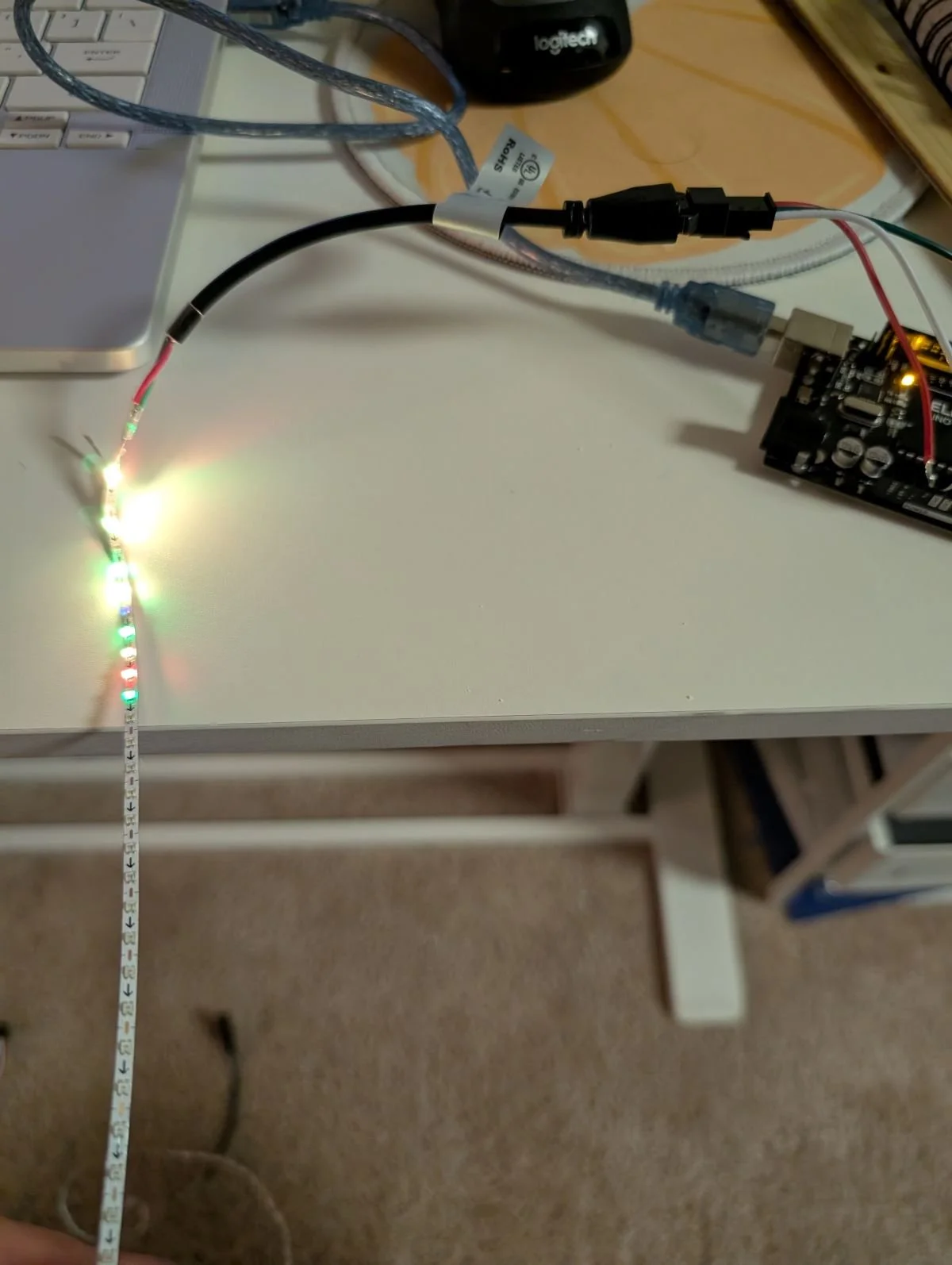
For the lights in the jacket, I wanted the brightest lights that could be programmes so I settled on Neopixels. Neopixels were also easy to embed into the jacket since they simply came on a strip. After going through a couple different forms of Neopixels I settled on one with one that I could easily plug into my battery and microcontroller. The neopixels were a great choice for this project because the lights could be easily programmed into different colors. The arduino did only output 5V, so in order to light more of the strip, I connected the neopixels to a separate power source.
Phase 2: Combining all the components
Wiring
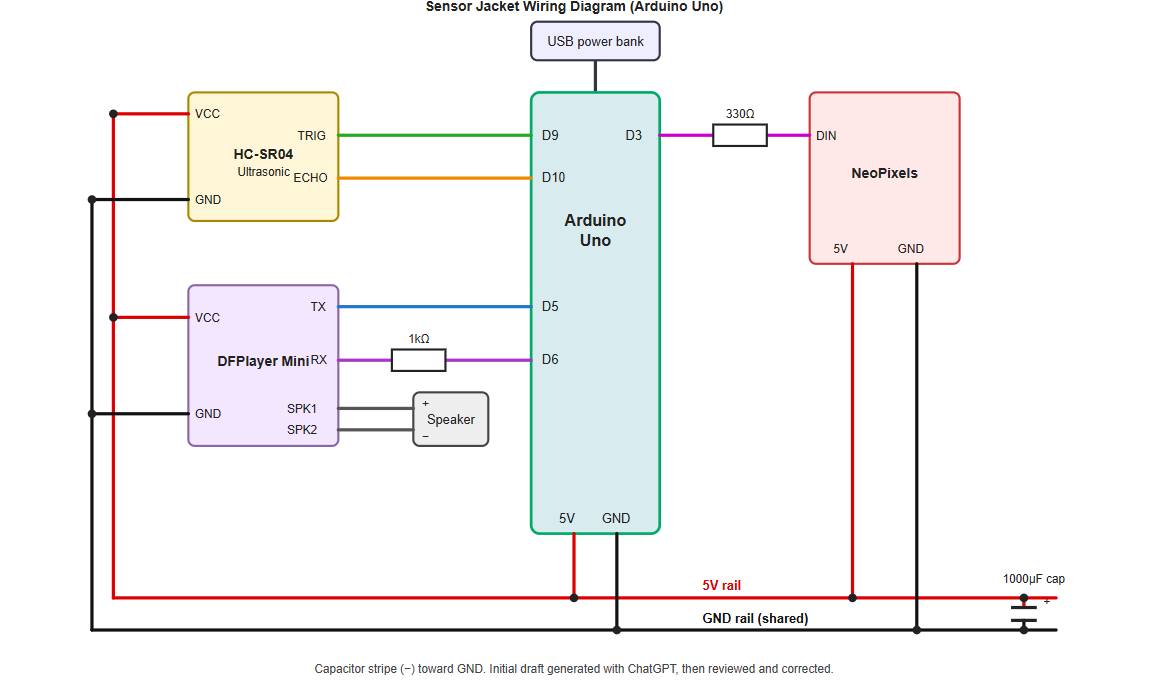
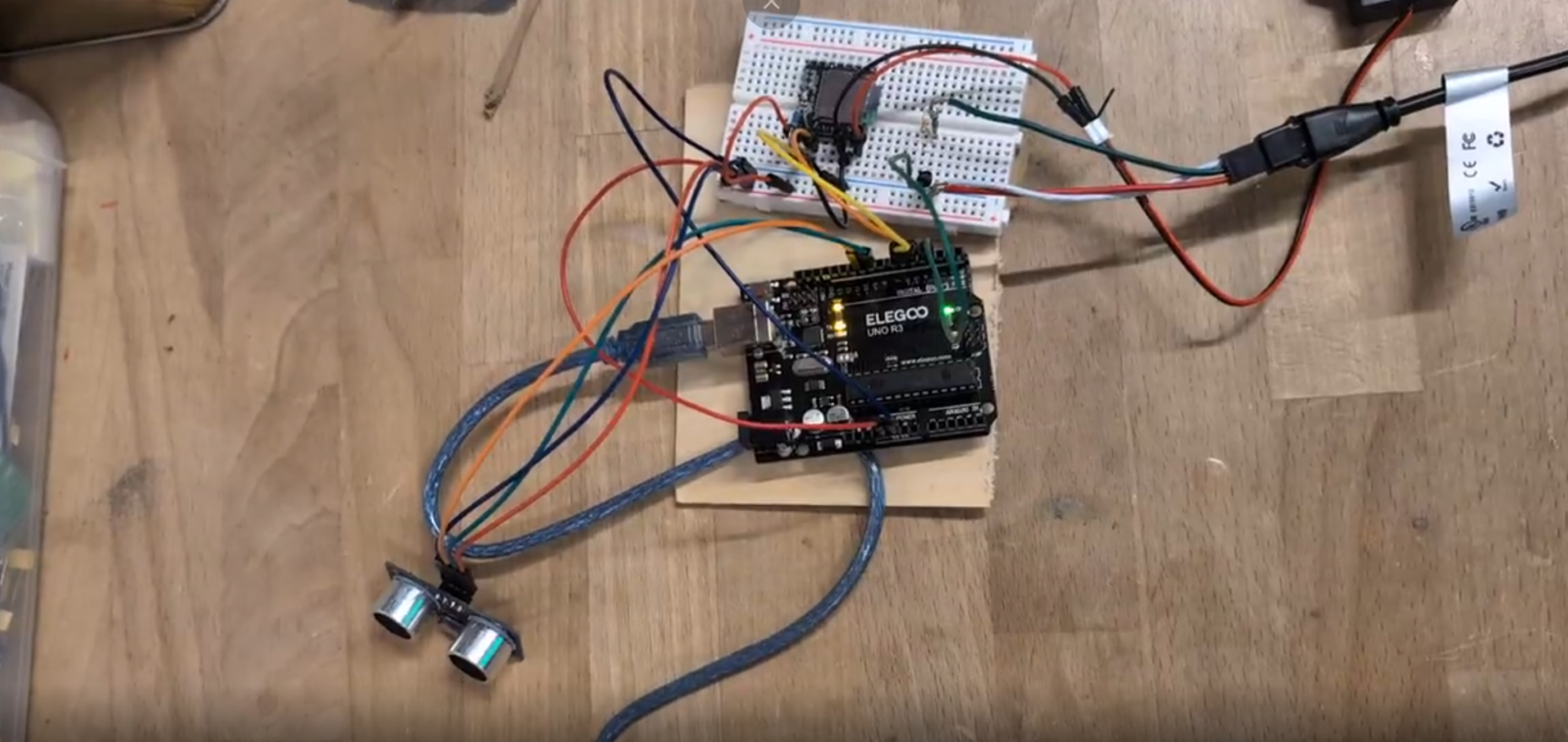
In order to begin wiring my project, I began making the simple connections. So connecting ground and power from my arduino the negative and positive on the breadboard. From there, I wired the DF Mini player and speaker. Then I set up the sensor and the Neopixels.
Final Wiring Diagram generated by ChatGPT
Code
For the code, I went through several versions. I initially had my code generated by Chat GPT however the sound and lights were not operating based on how I wanted. I wanted the sound and lights to go off when a person is detected within 100 CM ≈ 3.5 ft away, then when a person walks away the alarms stop. This is so the jacket can always be “on” but not go off too often. I also changed the code so the lights would flash red, once the sensor detects someone.
Power
For power, I went with a 5V battery pack since that’s the max the arduino could take and it was enough to power the project except the whole strip of neopixels. For the final project I included the amount of pixels the arduino could power.
Circuit
Phase 3 - Sewing Everything Together
Prepping the components
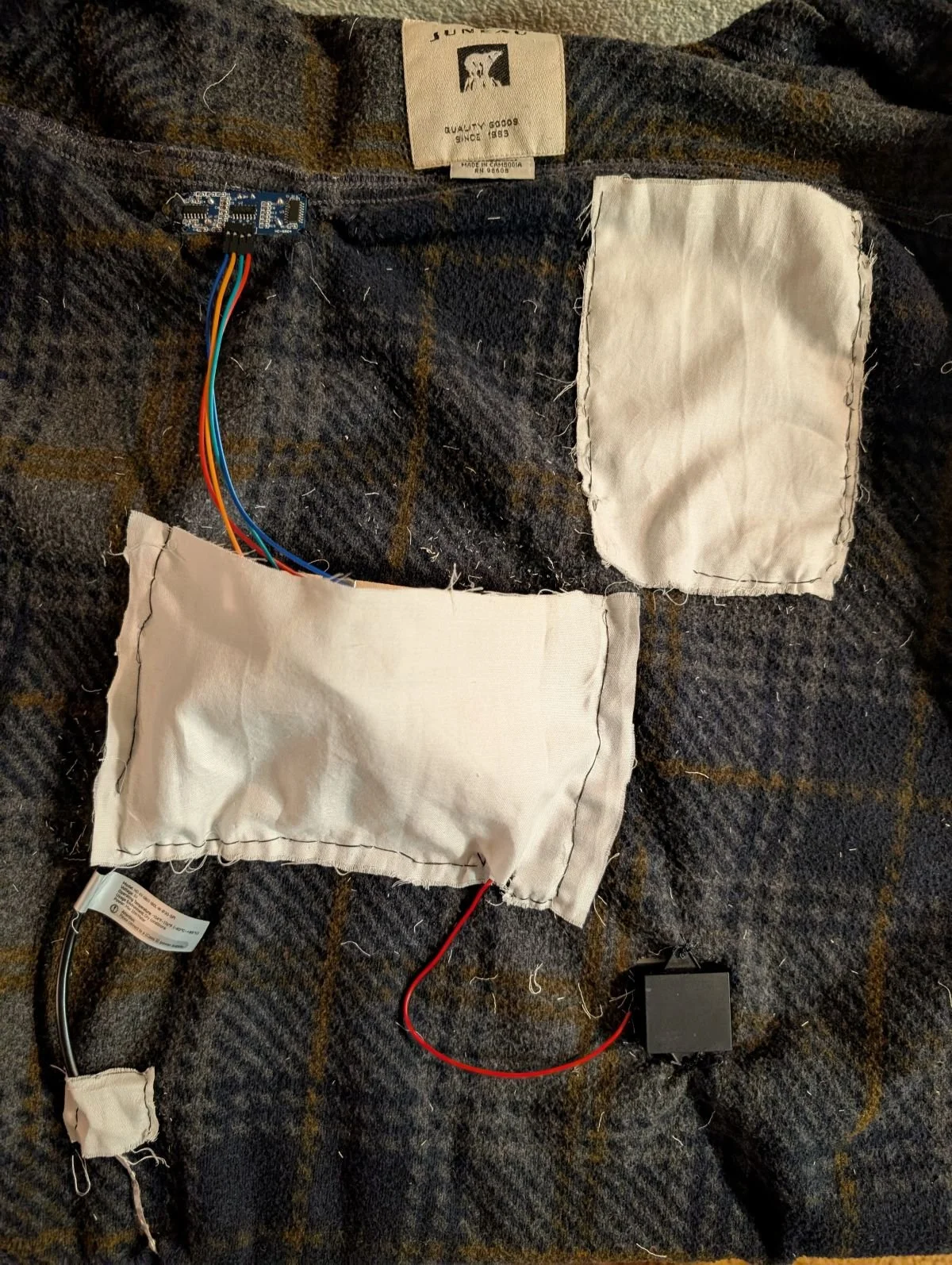
Before beginning to sew, I needed a way to stabilize all the components even if the jacket was moving around. In order to do this, I put the arduino and bread board along a backing then hot glued this backing to small piece of plywood. Now that all the components were stuck together, they could easily slide into the jacket.
Sewing
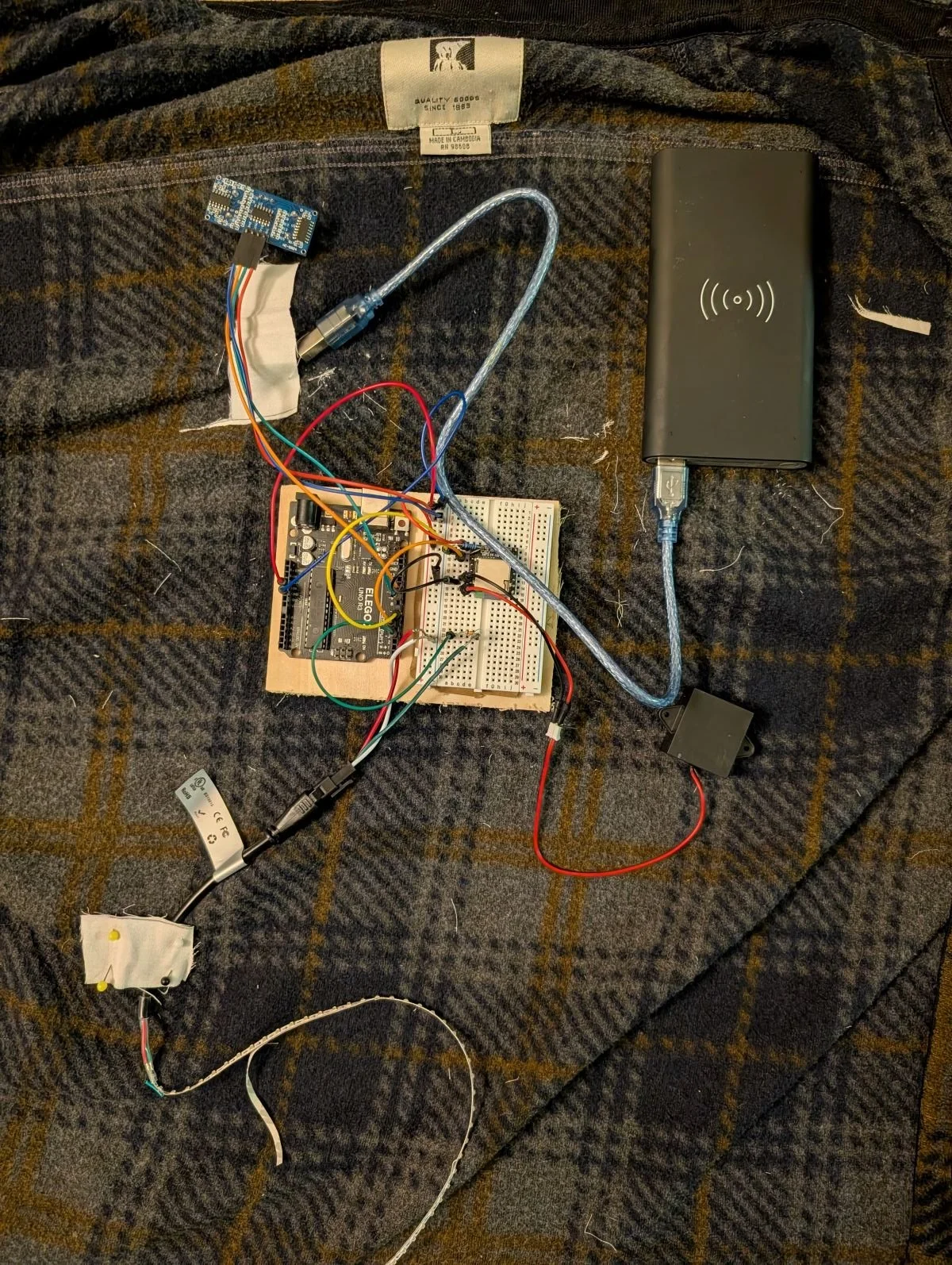
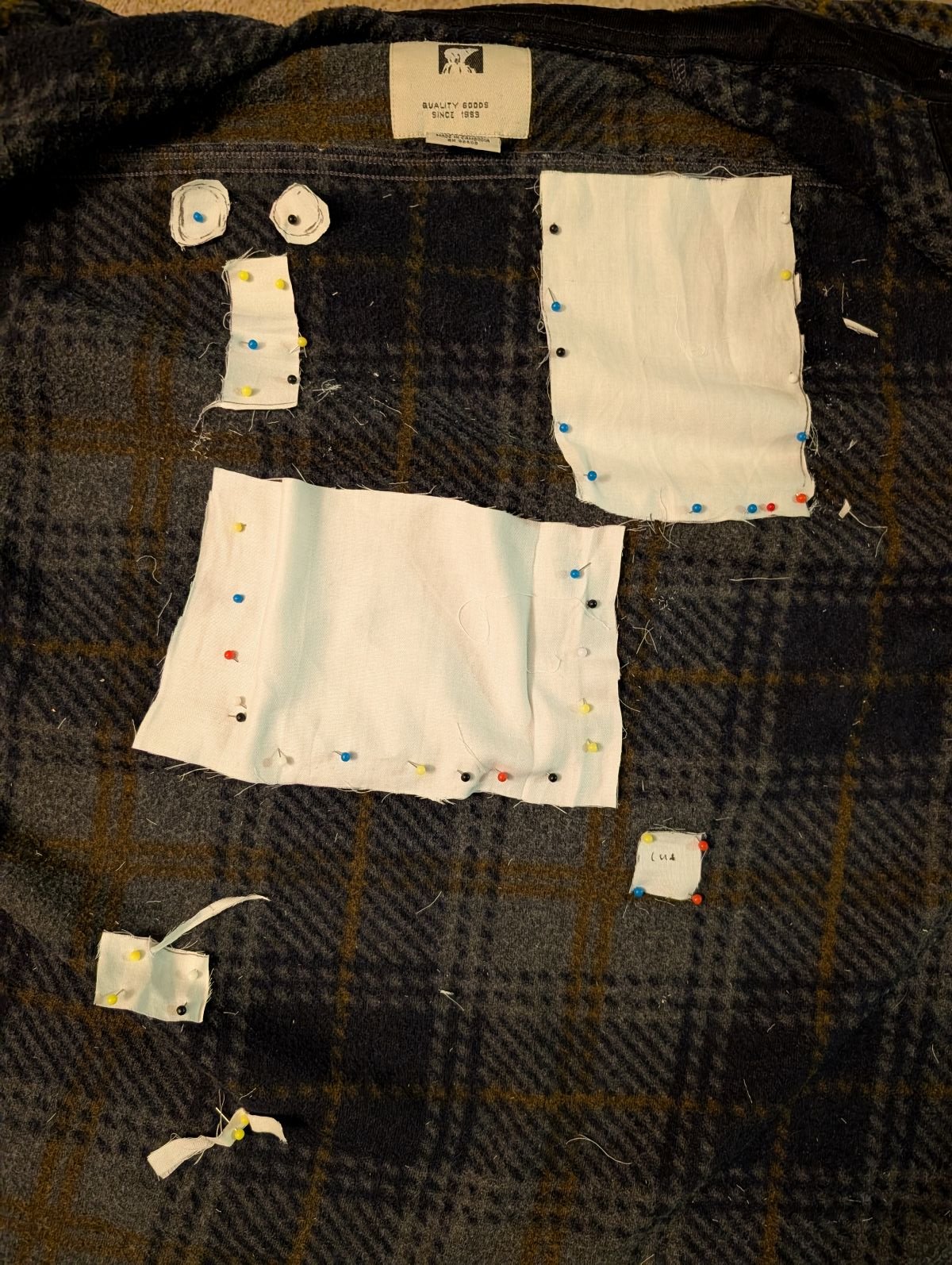
In order to sew the jacket I laid out all the pockets on the inside of the jacket such as where my arduino/breadboard would go and my battery pack. I also marked out holes where the ultrasonic sensor, speaker would go so I could cut out slits to sew them through the front of the jacket.
Electronics being laid out
When I first started sewing the electronic pockets, I initially used a running stitch so I could sew the pockets faster, however after testing out the battery pack, I realized that a running stitch was not strong enough and switched to a back stitch which was more time consuming but made a much stronger pocket.
Once sewed, I left slits open in the pockets so I could run wires through them as well.
Phase 4 - Final Testing
From here I put the battery pack into the jacket and hung the jacket on the back of a chair to test it. From here, I was happy with the audio and the sensor worked great however the whole strip of neopixels was not lighting up. In order to actually throw off an intruder I wanted the whole strip along the bottom to light up. To fix this, I swapped out the audio I had for a scream sound and and changed the light.
Final Product
Final Considerations
If I were to continue developing this project, I would make several changes to improve the reliability and wearability of the jacket.
Change the arduino: I would change the arduino nano to a lighter weight more descript arduino like a lilly pad or a micro
If I used a lillypad, I would use conductive thread instead of cables.
Machine sew the pockets with a heavier fabric: For this project. I used fabric remnants which ended up fraying.
Change out the speaker: By changing out the speaker for a bigger one it would make the sound more intimidating
Change jacket fabric: Although this jacket was easy to hand sew through it was stretchy and gave me issues when trying to cut snug holes along the speaker and sensor.